

Here’s a trick most people miss: your login list should never live in one single spot, digital or paper. Spread it out a little and you’re way less likely to lose everything at once. Sounds backwards, right? It works!
This list is all about finding a system that actually sticks. Not some complicated spreadsheet you set up once and never open again, lol!
We scrolled through a ridiculous number of pins for this one. Password binders, recipe boxes, sticky notes, apps with tiny lock icons.
Only the ones that were doable, cheap or genuinely clever made the final cut.
Some of these are fully digital. Others are old school and proud of it. A few mix both, which honestly might be the smartest move.
Pick whichever fits how your brain actually works. There’s no wrong answer here, just less forgetting your streaming password for the third time this month.
Grab a coffee and scroll through these 14 password book alternatives ideas. One of them is probably sitting right there waiting to fix your mess.
PASSWORD BOOK ALTERNATIVES IDEAS

Locked Notion Password Vault Setup

A locked Notion page sounds fancy but it takes maybe ten minutes to set up. You build a simple database, password protect the page. Every login lives in one tidy table.
The best part is the search bar. Typing three letters pulls up the exact account instantly, no scrolling.
- The scroll-free fix
- Free with a basic Notion account
- Searchable in two seconds
- Works on phone and laptop
Encrypted Notes App Layout

Not every notes app is created equal here. Look for one with a real lock feature, not just a folder buried three menus deep.
Read also: 13+ Paper Free Kitchen Ideas That Save Money Fast
Apple Notes and a few others let you lock individual notes with a separate code. It’s quick, it’s free.
It lives right on the phone you already carry.
- Already on your phone
- No extra app needed
- Locks with its own code
- Syncs across devices automatically
DIY Password Binder With Tabs
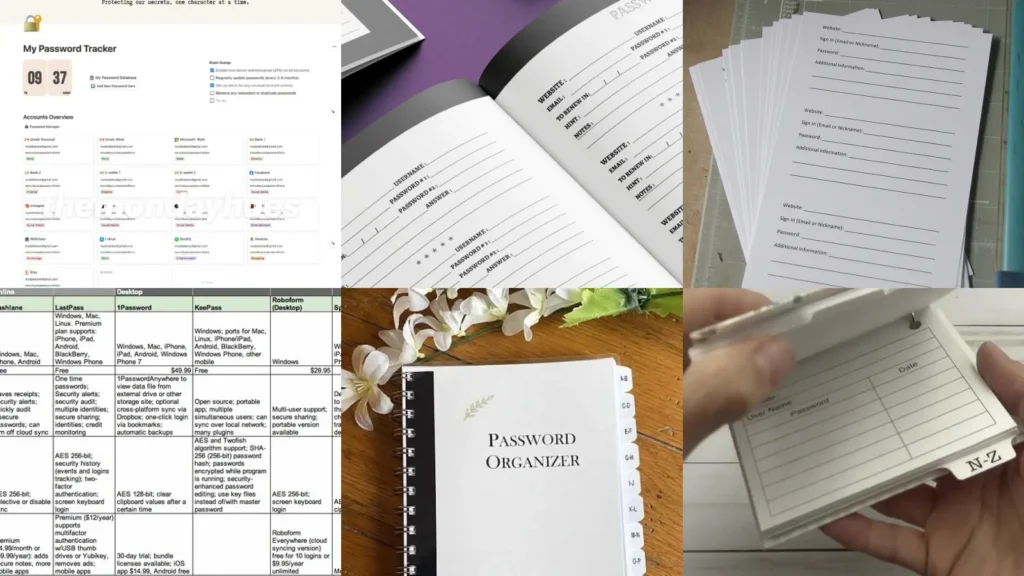
There’s something satisfying about a physical binder with tabs, honestly. Alphabetized dividers, a page per account, done.
This is the closest thing to a traditional password book, except you built it yourself. Grab a small binder and some sticker tabs from the craft aisle and you’re basically finished in an afternoon.
Read also: 19+ Genius Holiday Card Organization Ideas That Actually Stick
Keep it somewhere boring. Under a stack of mail works better than a fancy shelf, lol!
- The old school favorite
- Tabs from the craft aisle
- One page per account
- No batteries required
Password Manager App Comparison Chart

Comparing password manager apps side by side saves a lot of trial and error. Some autofill everywhere.
Some only work on one browser and that gets old fast.
A simple chart with columns for price, device syncing and family sharing makes the choice obvious pretty quickly.
Read also: 11+ Genius Laundry Limit Loads Ideas That Save Hours
- Pick once, done
- Compares four popular apps
- Notes free versus paid tiers
- Highlights family plan options
Fireproof Safe Password Storage

A fireproof safe feels a little intense for passwords, but hear this out. It protects the master list from fire, flood and nosy houseguests all at once.
This works great as the backup copy, not the everyday reference. Write the master list, tuck it inside.
Forget about it until you actually need it.
- The backup that never fails
- Protects the master copy only
- Rated for heat and water
- Small enough for a closet shelf
Recipe Box Password Trick

This one made me laugh the first time I saw it, haha! A recipe box with index cards, one card per account, filed alphabetically just like grandma’s casserole recipes.
Nobody suspects a recipe box of holding your bank login. That’s exactly the point.
- Hidden in plain sight
- Thrift store recipe box works fine
- Cards sorted like actual recipes
- Blends in on the counter
QR Code Password Sharing
QR codes turned out to be a genuinely clever these trick. Generate a code for a login, print it small, tape it inside a cabinet or notebook.
Scanning beats typing out a long jumbled password every time. Not going to lie, this one feels a little like a spy movie, lol!
- Scan instead of type
- Prints tiny enough to hide
- No typos on long passwords
Kids Login Chore Chart

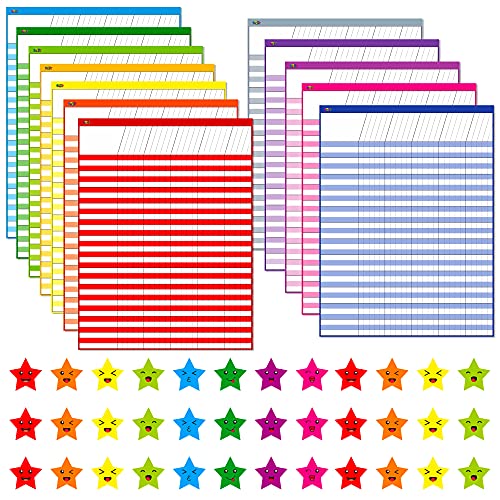
Kids and passwords are a whole separate headache. A chore chart style layout turns login practice into something that actually gets done.
Read also: 20+ Game-Changing Cleaning Schedule Printable Ideas
List each app or game with a little checkbox for changing the password every month. Digital password tips family style, but it looks like a fun chart instead of a lecture.
No shame in that.
- Turns a chore into a game
- Checkbox per app or game
- Monthly reset built right in
- Prints in color or black and white
Printable Subscription Tracker Sheet

A printable subscription tracker sheet stops the sneaky charges before they add up. One column for the service, one for the price, one for the renewal date.
This is the sheet that finally answers the question everyone asks in January: wait, what is this charge?
- Catches the sneaky charges
- Room for twenty subscriptions
- Renewal date column included
- Fits on a single page
Monthly Bills Spreadsheet Layout

A monthly bills spreadsheet keeps rent, streaming and that gym membership nobody uses in one place. Color the paid rows green and the pending ones stay plain.
Subscription list template ideas work best when the layout is dead simple. Fancy formulas are optional, not required.
- One glance tells you everything
- Color codes paid versus pending
- Works in any spreadsheet app
- Totals the month automatically
Subscription Audit Checklist Design

A subscription audit checklist forces the annual reality check everyone dreads. List every service, then mark whether it actually got used this month.
Anything unchecked three months running probably needs to go. Fair warning, this one stings a little the first time.
- The reality check sheet
- Tracks usage over three months
- Simple yes or no columns
- Ends with a cancel list
Color Coded Login Labels

Color coding logins by category makes any system easier to scan. Banking gets red, shopping gets blue, streaming gets green, that sort of thing.
If you were hunting for account list ideas emergency, this one is a keeper!
Login organization tips do not get much simpler than a set of colored dot stickers from the dollar store. Same idea, way less effort than it sounds.
- Sort by color, not chaos
- Dot stickers from the dollar store
- Four category colors is plenty
Alphabetized Account Tab System

An alphabetized tab system turns any notebook into an instant lookup tool. Tab A through Z, file each account under the company name. Finding a password takes seconds.
This one pairs perfectly with the binder idea from earlier if double protection sounds appealing.
- Find it in five seconds
- A to Z tabbed dividers
- Filed by company name
- Pairs well with any notebook
Sticky Note Login Method
Last but definitely not least, we have the sticky note method. It should not work. Yet it does for a lot of people.
One note per password stuck inside a drawer nobody opens, filed loosely by first letter. Not elegant, but honestly kind of genius.
Sometimes the messiest system is the one that actually gets used every single day.
- The system that shouldn’t work
- Sticky notes already in a drawer
- Filed loosely by first letter
- Zero setup time involved